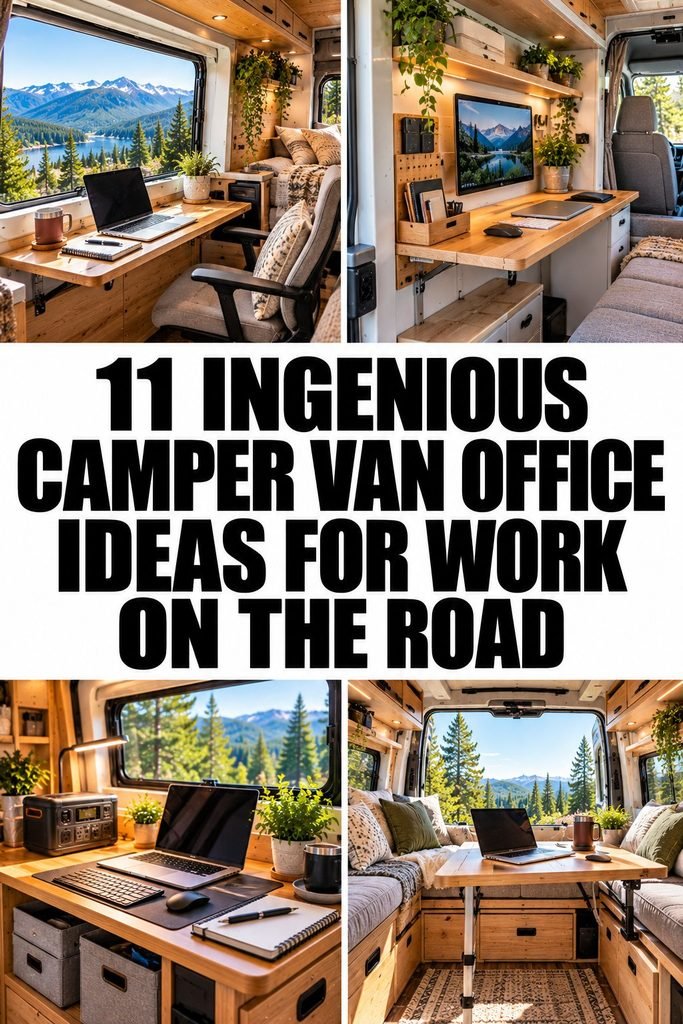
11 Ingenious Camper Van Office Ideas for Work on the Road
Working from a camper van can give you the freedom to explore new places without putting your career or business on hold. However, creating a comfortable workspace in a small van takes more planning than simply placing a laptop on a table.
You need somewhere to sit comfortably, enough light to see your screen, reliable internet for meetings, and a practical way to store your work essentials without making the entire van feel cluttered.
When planning a camper van office, I would focus on making every inch useful while keeping the space comfortable enough for a full working day.
A clever desk arrangement, smart storage, and a few carefully chosen accessories can make a significant difference, especially when your living area also serves as your kitchen, bedroom, and workspace.
Whether you work remotely, run an online business, create content, or freelance while traveling, these camper van office ideas will help you build a setup that suits your routine.
From foldaway desks to flexible outdoor workstations, you will find practical ways to work efficiently without sacrificing the freedom of van life.
Smart Camper Van Office Ideas That Save Space
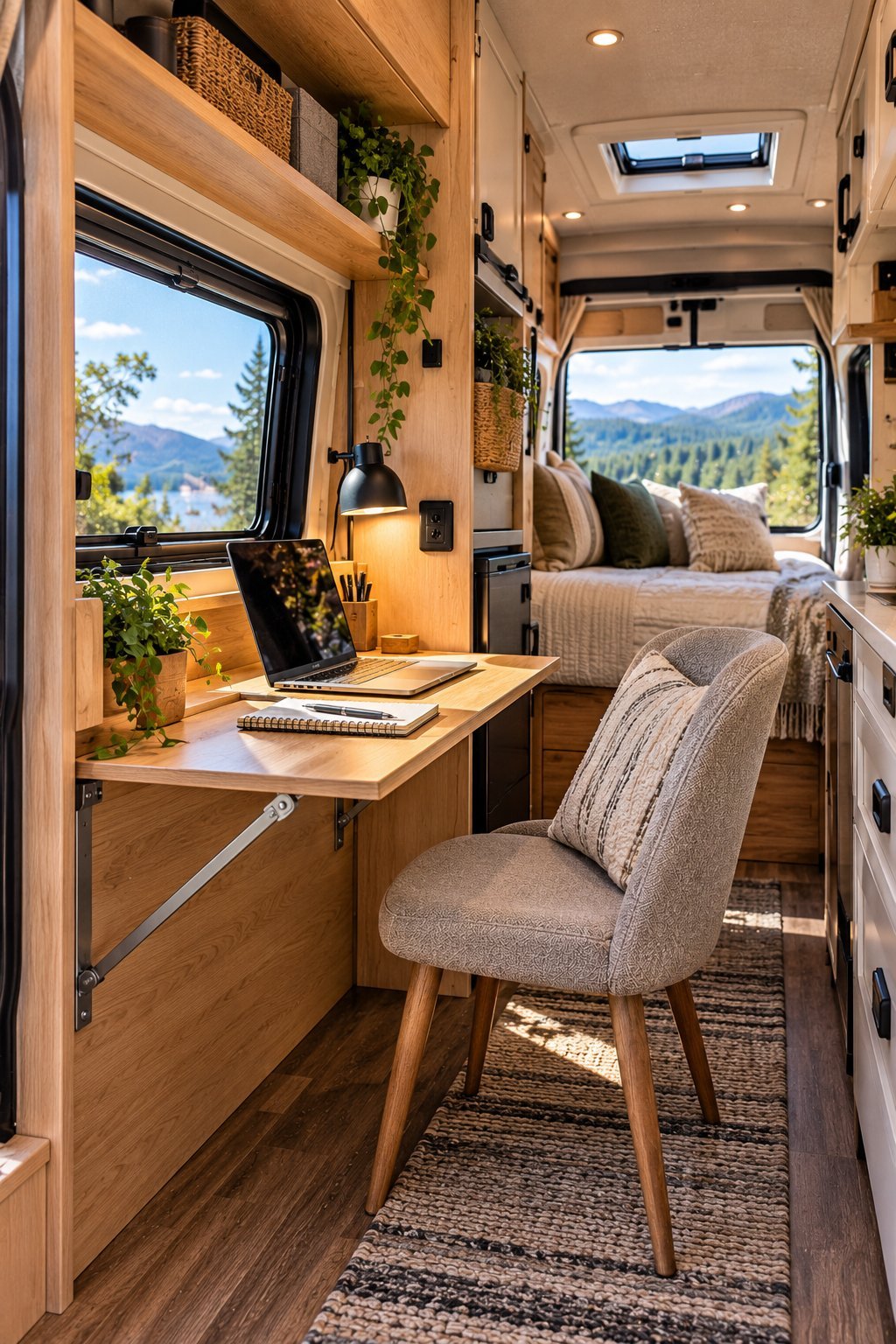
1. Install a Foldaway Wall Mounted Desk
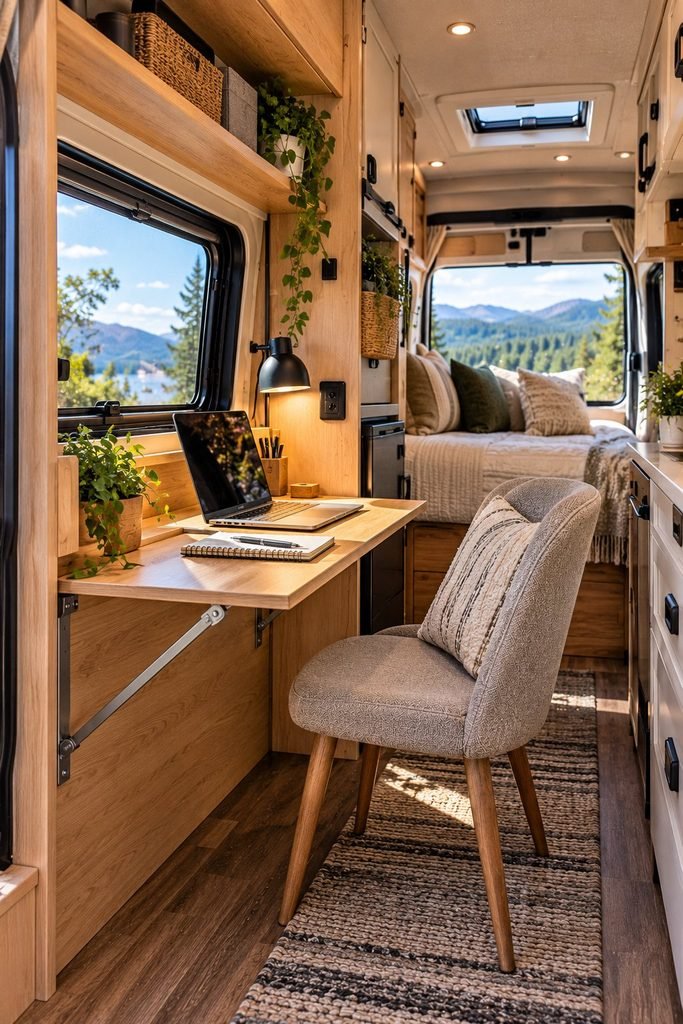
A foldaway wall mounted desk is one of the most practical solutions for anyone trying to fit a proper office into a camper van. Instead of dedicating a permanent area to work, you can open the desk when you need it and fold it away when the working day ends.
This arrangement is particularly useful in small camper vans where the same area needs to serve several purposes. You can use the desk for answering emails, managing your business, editing content, or attending virtual meetings, then reclaim the floor space when it is time to cook or relax.
How to make this setup work
Choose a desk that is wide enough for your laptop and essential accessories without extending too far into the walkway. A folding support bracket or a properly secured wall mounted mechanism can help keep the desk stable during use.
Before installing one, check the van’s wall structure and make sure the mounting hardware is suitable for the materials involved. Avoid attaching a heavy desk to thin decorative paneling without adequate structural support.
I would also keep the desktop simple. A laptop stand, one notebook, and a small organizer are usually enough for a basic remote working setup. The less you leave on the desk, the easier it becomes to fold it away.
Best for: Small camper vans, digital nomads, freelancers, and anyone who needs a workspace that disappears after work.
2. Turn Your Dining Table Into a Dual Purpose Office
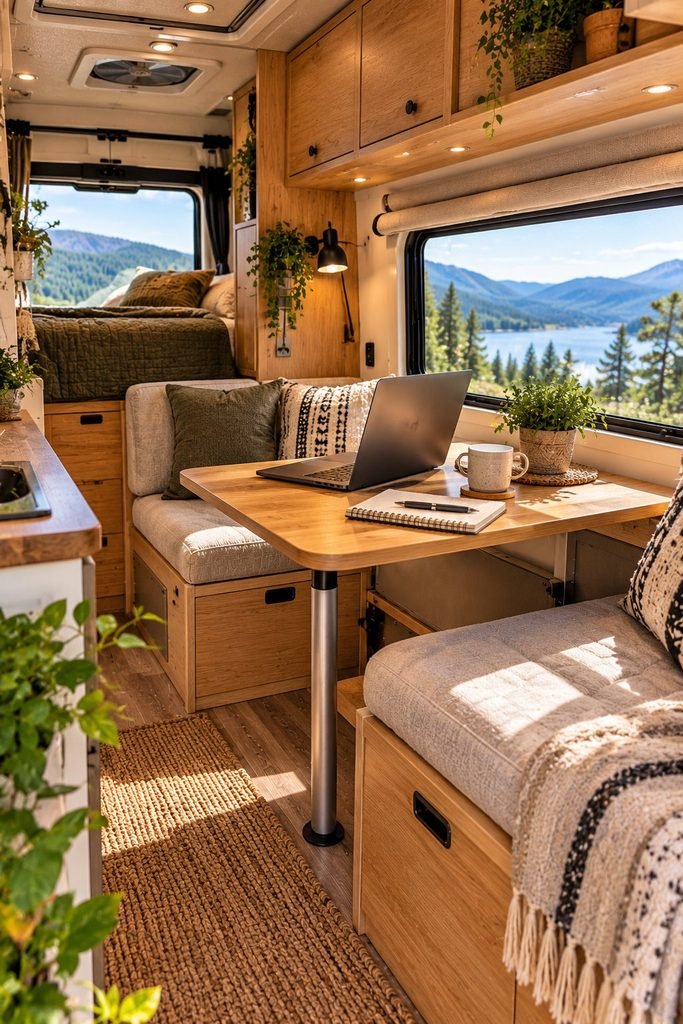
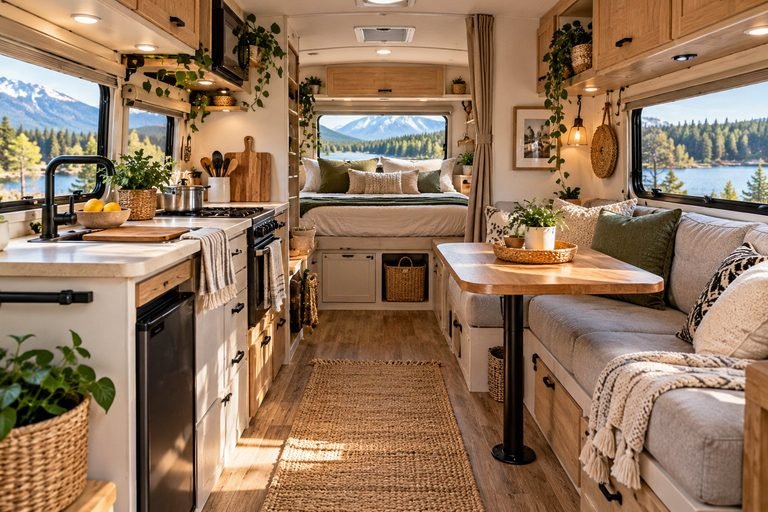
You do not necessarily need a separate desk to create a functional camper van office. If your van already has a dining table, you can turn it into a comfortable workstation with a few thoughtful adjustments.
This is one of the simplest ways to make better use of a small interior because the table already serves an important purpose. During meals, it remains a dining area. During working hours, it becomes a place to write, plan projects, respond to clients, and complete computer based tasks.
The main challenge is making the table comfortable enough for extended work sessions. A table designed for eating may be too high or too low for typing, while a dining bench may not provide enough back support.
How to make your dining area more work friendly
Start by checking the relationship between your chair or bench, the tabletop, and your laptop. Your shoulders should feel relaxed while typing, and your screen should be positioned so you are not constantly looking down.
A compact laptop stand and an external keyboard can make a noticeable difference. If the seating is uncomfortable, consider a supportive cushion or a suitable chair that can be stored when it is not needed.
Lighting is another important detail. Position the table near a window when possible, but avoid direct sunlight reflecting off your screen.
A practical tip: Establish a simple routine for changing the table from office to dining space. Keep work accessories in one storage pouch so you can clear the table quickly at the end of the day.
Best for: Couples sharing a camper van, budget conscious van lifers, and remote workers who want to avoid additional furniture.
3. Create a Dedicated Office Nook Behind the Front Seats
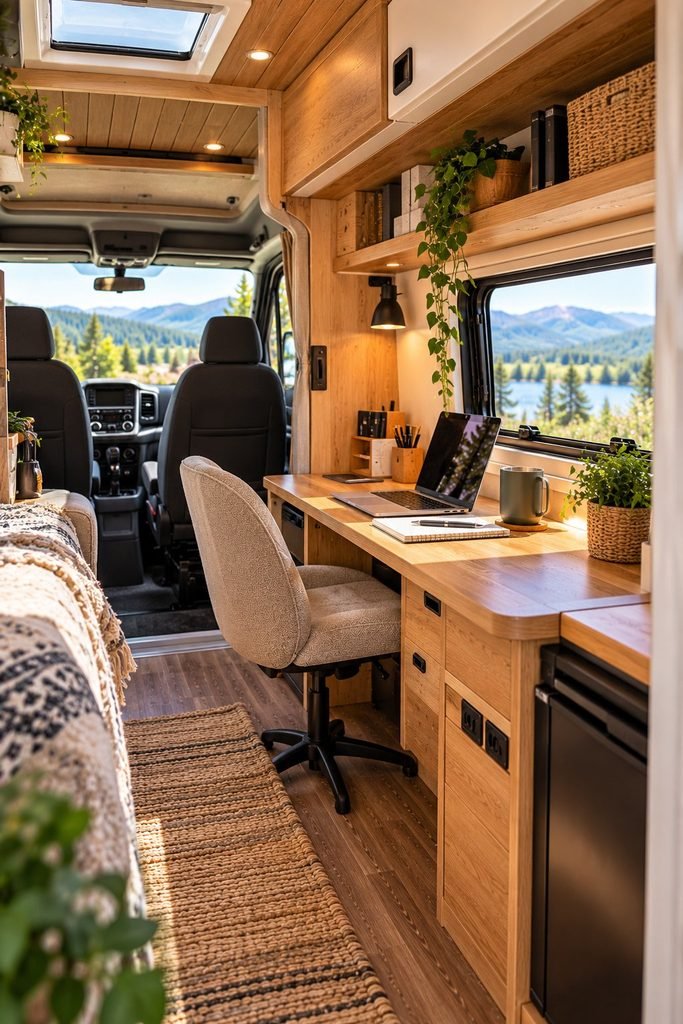
If you work online for several hours every day, having a dedicated office nook can make your routine easier. Even a small workspace can help separate work from the rest of your van life, especially when you need to concentrate or attend regular video calls.
The area behind the front seats can be a useful location, depending on the van’s layout. A narrow desk against the wall may provide enough room for a laptop, a notebook, and a few essential accessories without taking over the main living area.
The goal is not to recreate a large home office. It is to establish a consistent place where you can sit down, focus, and complete your tasks.
What to include in your office nook
Consider a slim desk, compact seating with adequate back support, a small light, and storage for chargers and stationery. If your work involves video calls, pay attention to what appears behind you on camera. A tidy wall or a simple curtain can create a cleaner background.
Ventilation also matters. Small vans can become uncomfortable during long working sessions, especially in warm weather. Position your workspace where airflow is available, and use window coverings to manage glare and heat.
Before committing to a permanent installation, check that the desk does not obstruct the driver’s area, airbags, seat movement, exits, or essential access routes. Keep the workspace secured when the van is moving.
Best for: Full time remote workers, online business owners, and people who need a more consistent working environment.
4. Use a Convertible Sofa Desk Setup
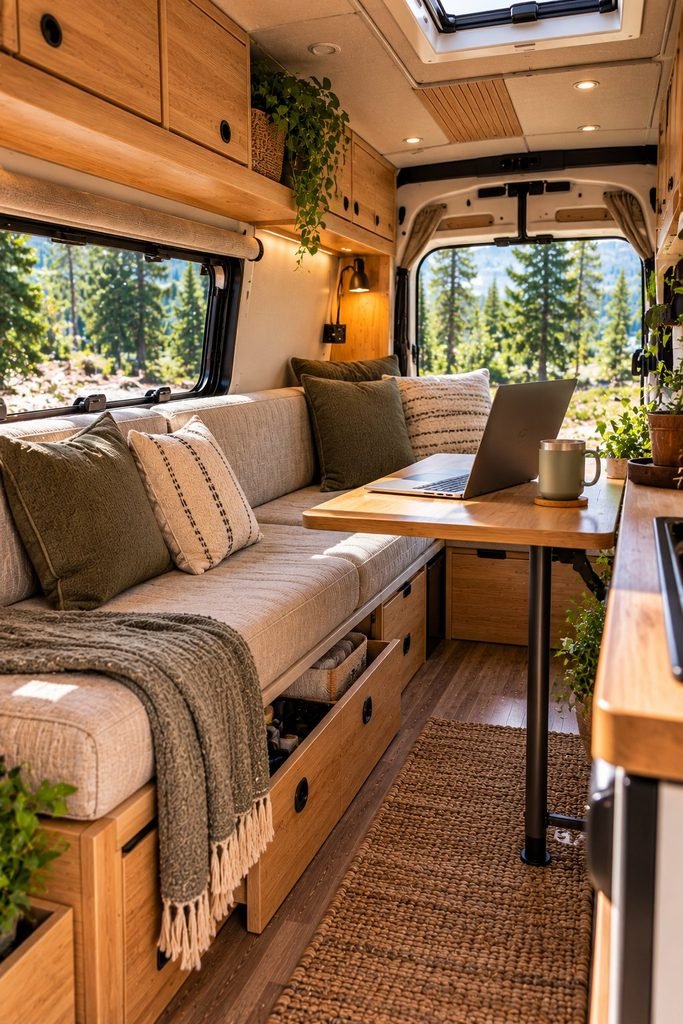
A convertible sofa desk setup is a smart option when your camper van needs to accommodate both working and relaxing. Rather than installing separate furniture for every activity, you can create a seating area that supports several purposes throughout the day.
For example, a bench seat can provide a place to relax in the evening and a seat for working when paired with a stable desk. An adjustable or removable table can make the transition easier, particularly if the space is too narrow for a permanent workstation.
However, comfort deserves more attention than appearance. A sofa that feels comfortable while relaxing may not support your back properly during a long workday. Sitting in one position for hours can also become tiring, especially when you have limited room to stretch your legs.
How to get the most from a convertible setup
Choose a table with a suitable working height and enough stability for typing. If the table can be removed or folded, make sure it has a secure storage location when not in use.
Use the under seat storage for items you need regularly, such as headphones, notebooks, cables, and a portable mouse. Keep heavier items secured so they cannot slide around while traveling.
I would also avoid treating the sofa as your only possible working position. Whenever practical, alternate between sitting at the table, standing briefly, and taking short movement breaks outside the van.
Best for: Couples, multipurpose camper van interiors, and travelers who want their workspace to blend into the living area.
5. Build a Minimalist Laptop Workstation
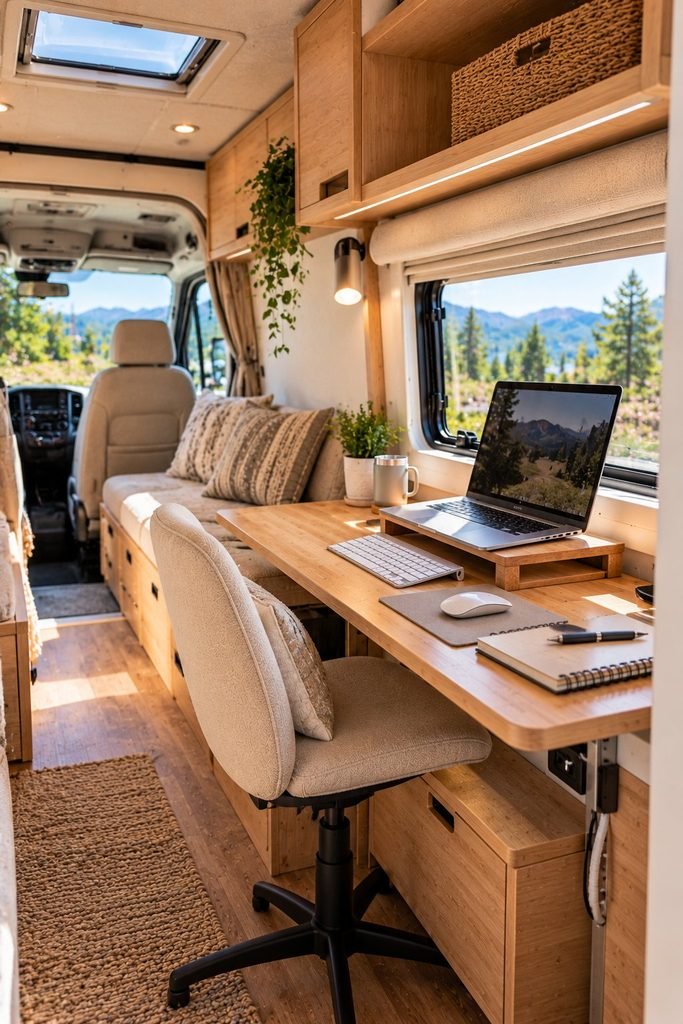
Sometimes the most useful camper van office is also the simplest. If your work mainly involves writing, browsing, email, online meetings, or managing a website, you may not need a large desk or complicated equipment.
A minimalist workstation keeps your essential tools within reach without allowing office equipment to dominate the living space. This can be especially valuable in a small van, where unnecessary objects quickly make the interior feel crowded.
Start with the equipment you actually use each day. A laptop, a comfortable keyboard, a mouse, headphones, and a reliable charging arrangement may be enough for many remote workers. People who edit video, design graphics, or work with multiple applications may need additional equipment, but it is still worth considering which items are essential.
Make a small workstation more comfortable
A laptop stand can raise the screen to a more comfortable viewing height. When possible, pair it with an external keyboard and mouse so you do not have to keep your hands and neck in awkward positions.
Keep charging cables organized with reusable cable ties or a small cable pouch. If you need extra outlets, choose equipment that is appropriate for your van’s electrical system and power capacity.
Do not overlook the importance of your chair and lighting. A minimalist desk should still support comfortable work rather than simply look attractive in photographs.
Best for: Writers, bloggers, virtual assistants, freelancers, and remote workers who use a laptop as their main work tool.
Creative Camper Van Office Ideas for Comfort and Productivity
6. Create a Window Side Desk With a View
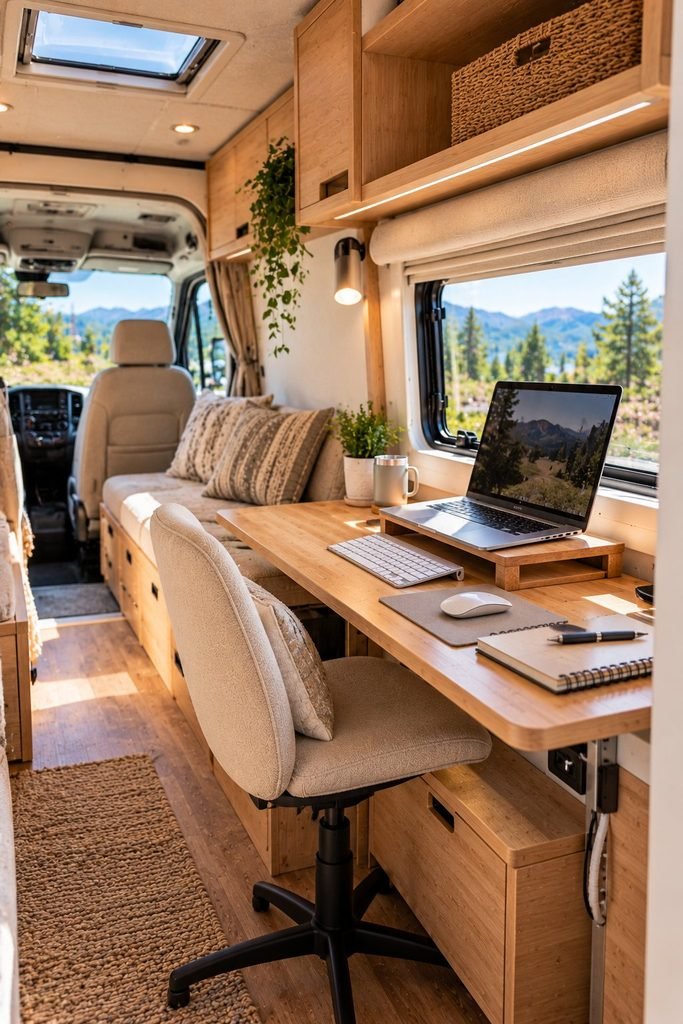
One of the advantages of working from a camper van is the opportunity to change your surroundings without giving up your regular work routine. A window side desk lets you enjoy natural light and views of the landscape while keeping your workspace compact and practical.
This setup works particularly well if your camper van has a large side window or a window overlooking the rear living area. Instead of placing your desk in the darkest corner, you can position it where daylight makes the interior feel more open and inviting.
For anyone who spends several hours writing, managing a website, editing content, or answering emails, a pleasant workspace can make the working day feel less confined. However, the arrangement needs to be practical as well as attractive.
How to design a window side office
Start by measuring the available wall space beneath or beside the window. A narrow desk may provide enough room for a laptop, notebook, and a few accessories without blocking the window or reducing movement around the van.
If you want to enjoy the view while working, pay attention to screen glare. Direct sunlight can make a laptop difficult to read, particularly during the brightest part of the day. Lightweight window blinds or adjustable curtains can help you control the light without making the workspace feel dark.
I would also keep the window area relatively uncluttered. A small desk organizer, a compact lamp, and a comfortable chair are usually more useful than filling the surface with decorative objects.
Before installing the desk, check that it does not interfere with window operation, ventilation, emergency exits, or any required safety features.
Best for: Remote workers who enjoy natural light, bloggers, writers, and anyone who wants a more pleasant place to work while traveling.
7. Install a Pull Out Desk From Your Kitchen Counter
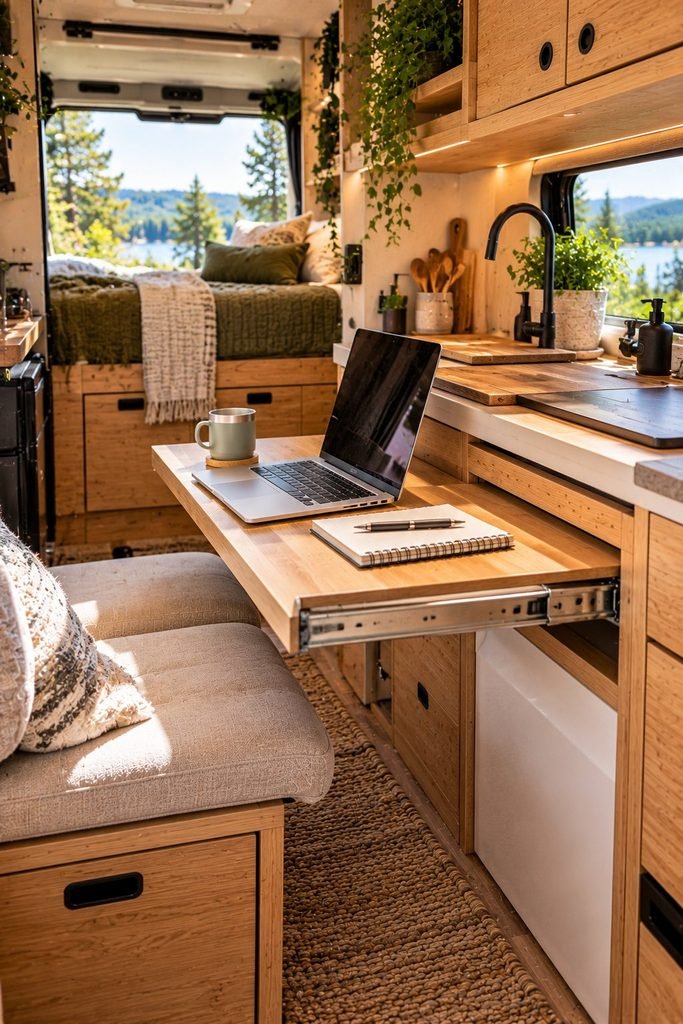
When every inch of a camper van matters, furniture that serves more than one purpose can make a substantial difference. A pull out desk connected to the kitchen counter is a clever option for people who want a temporary workstation without installing a full size office desk.
The idea is straightforward. A narrow extension slides out from beneath a counter or from a purpose built cabinet when you need somewhere to work. When your tasks are finished, you slide it back into place to restore the original layout.
This design can be especially helpful in compact camper vans where a separate office would take up valuable room needed for cooking, sleeping, or storage.
What to consider before installing one
The first thing to consider is stability. A pull out surface must be strong enough to support your laptop and accessories without wobbling while you type. Choose hardware rated for the expected load, and make sure the cabinet itself can support the installation.
Think carefully about the height and depth of the extended surface. It should provide enough room for your computer and allow you to sit comfortably without hitting your knees against the cabinetry.
You should also consider how close the desk is to the cooking area. Grease, splashes, steam, and heat can damage electronics, so the workstation should not interfere with food preparation or sit dangerously close to cooking appliances.
A small storage compartment nearby can hold your keyboard, mouse, charging cable, and notebook when the desk is tucked away.
My practical recommendation: Before committing to a permanent design, test the proposed desk position with a temporary table or board. This helps you identify awkward seating positions and clearance problems before spending money on custom cabinetry.
Best for: Small camper vans, minimalist layouts, and travelers who want to combine their office with existing furniture.
8. Design a Standing Desk for More Flexible Workdays
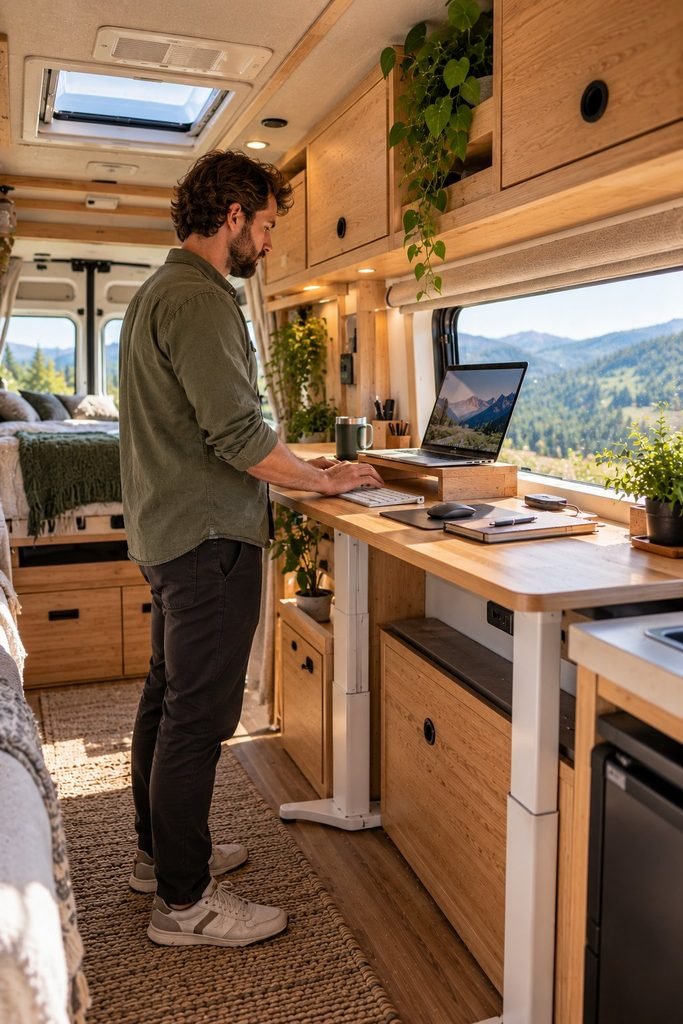
Working from a camper van can mean spending much of the day sitting in the same position. When your workspace is small, getting up and moving around regularly becomes particularly important.
A standing desk offers another way to work without remaining seated for every task. It does not need to be a large, permanently installed structure. Depending on your van’s layout, you could use a height adjustable desk, a suitable raised counter, or a secure workstation designed to support standing tasks.
This option can be useful for activities such as checking emails, reviewing documents, planning content, or attending short virtual meetings. You can alternate between sitting and standing instead of staying in one position for the entire working day.
How to create a practical standing workstation
Start by checking the height of the surface. When standing, your shoulders should remain relaxed, and your elbows should be close to your sides while typing. If the desk is too high, you may end up raising your shoulders. If it is too low, you may lean forward and strain your back.
A laptop stand or adjustable workstation can help you find a suitable position. If you regularly type for long periods, consider using an external keyboard and mouse rather than relying entirely on the laptop’s built in controls.
Flooring also matters. A stable, level surface makes standing more comfortable, while sufficient headroom is essential in a camper van with a low roof.
Remember that standing throughout the entire day is not the goal. Alternating positions, walking outside, stretching, and taking regular breaks are more practical ways to avoid remaining in one posture for too long.
Best for: Remote employees, online entrepreneurs, and people who want more movement built into their working routine.
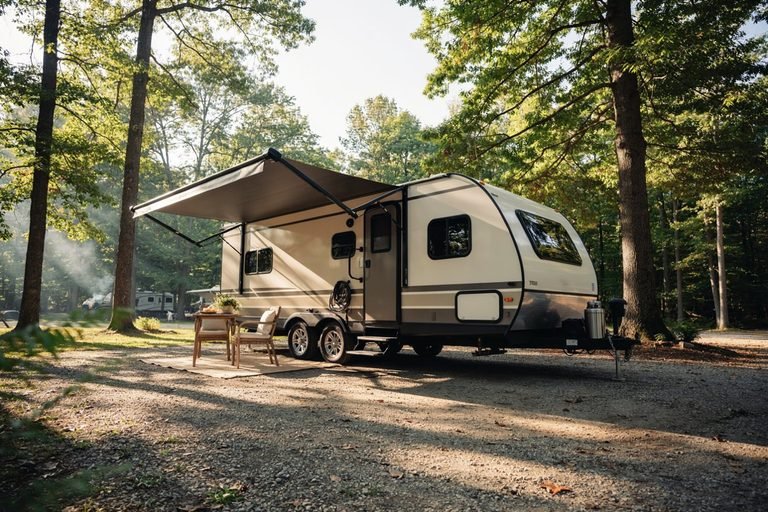
9. Set Up an Outdoor Camper Van Office
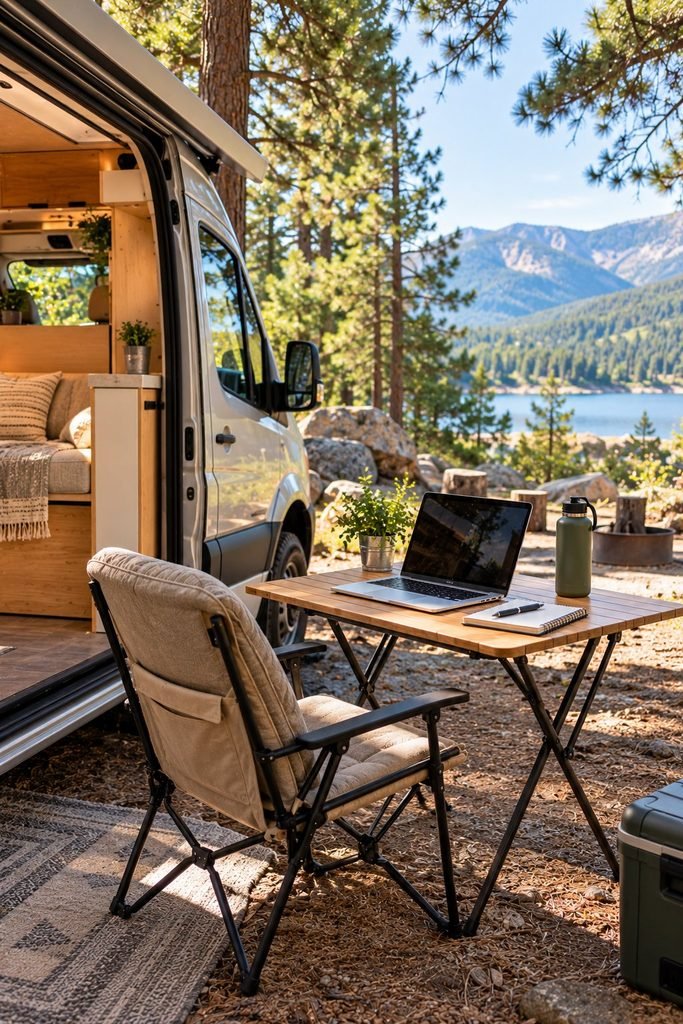
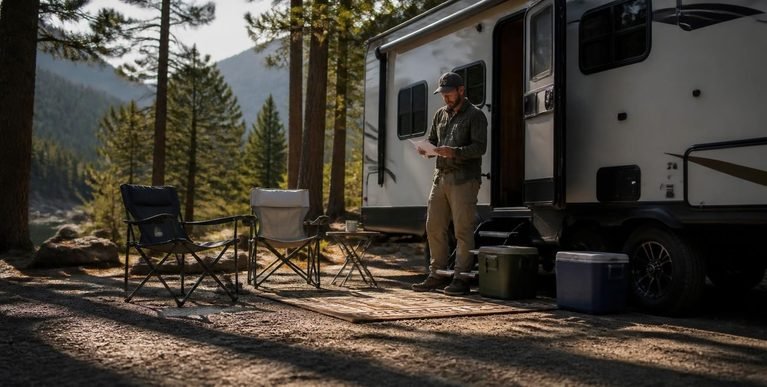
You do not always have to work inside your camper van. When the weather is suitable and your surroundings are safe, an outdoor office can provide a welcome change from the compact interior.
Imagine setting up a small table beside your parked van, opening your laptop, and working with fresh air and a view of the surrounding landscape. For remote workers who spend much of the day online, changing locations can make the routine feel less repetitive.
An outdoor workspace is particularly useful when your van interior is too small for a comfortable desk or when you need more room to spread out paperwork, sketch designs, or plan projects.
What you need for an outdoor workstation
A compact folding table and a comfortable portable chair are good starting points. Choose furniture that folds down easily and can be stored securely inside the van when you travel.
You will also need to think about shade, weather, power, and internet access. Direct sunlight can overheat electronics and make screens difficult to read, while wind can blow lightweight equipment or paperwork off the table. A shaded location and a stable setup help make outdoor working more practical.
For internet access, check whether your mobile connection works reliably at the campsite or parking area. A phone hotspot or suitable mobile router may be sufficient for ordinary online tasks, but video calls and large uploads can require a stronger connection.
Keep your laptop away from rain, excessive dust, and direct heat. Do not leave expensive equipment unattended, and follow the campsite’s rules about outdoor furniture and working in shared areas.
An important detail: An outdoor office is best treated as a flexible alternative rather than your only workspace. Keep an indoor option available for poor weather, confidential calls, or situations where the surroundings are too noisy.
Best for: Travelers who stay at campsites, digital nomads who enjoy working outdoors, and van lifers who want a change of scenery.
10. Build a Portable Office You Can Pack Away
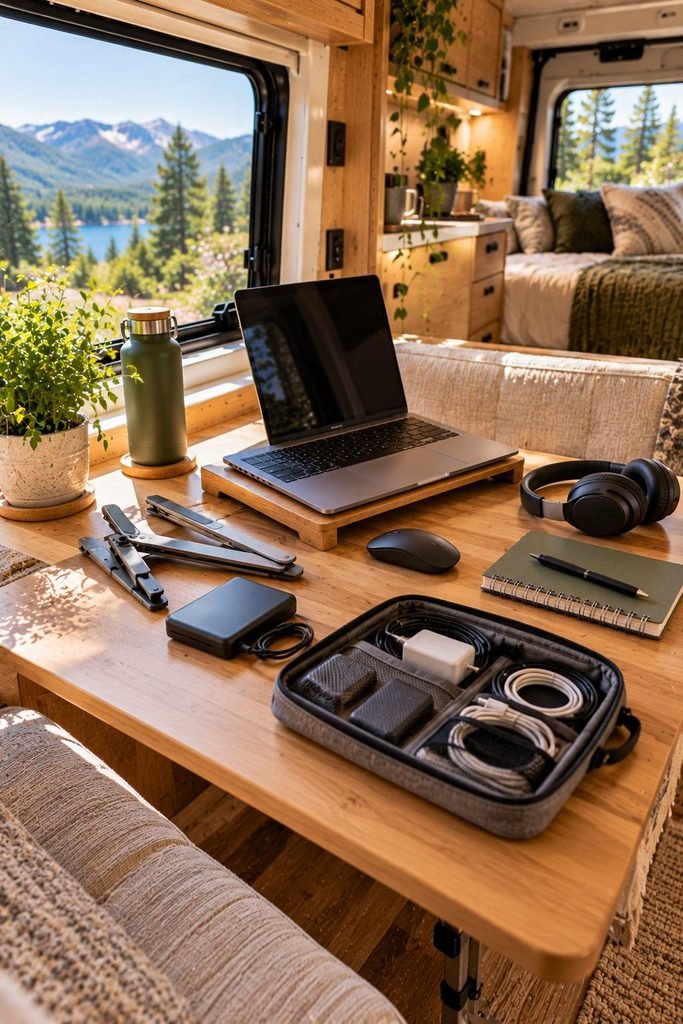
A portable camper van office is ideal if you prefer to keep your interior flexible. Instead of dedicating a permanent section of the van to work, you can store everything in one compact bag or organizer and set up wherever a suitable surface is available.
This arrangement is especially useful for people who travel in smaller vans, share their space with a partner, or use their vehicle for weekend trips as well as remote work.
The main advantage is flexibility. You can work at the dining table, use a suitable desk at a campsite, or move to another quiet location when you need to concentrate.
What belongs in a portable office kit?
The contents will depend on your work, but a basic kit could include:
- Your laptop and charging cable.
- A compact wireless mouse and keyboard if needed.
- Headphones or a headset for online meetings.
- A notebook and a small selection of stationery.
- A cable organizer and the adapters you regularly use.
- A portable power bank or other compatible power solution.
- A lightweight laptop stand.
Choose a bag with separate compartments so that cables do not become tangled with your computer and accessories. Water resistant materials can provide some protection against minor splashes, although they should not be treated as a substitute for proper protection from heavy rain.
It is also worth reviewing your kit periodically. Carrying equipment you rarely use adds weight and takes up storage space that could be put to better use.
For example, if most of your work involves writing articles, managing emails, and planning content, you may not need the same equipment as someone who edits high resolution video or works with multiple monitors.
My practical recommendation: Keep your office kit in one designated storage location. That makes it easier to start working quickly and helps prevent small accessories from disappearing into different cabinets around the van.
Best for: Freelancers, traveling bloggers, part time van lifers, and anyone who prefers a flexible workspace without permanent installations.
Practical Upgrades for a More Productive Camper Van Office
11. Improve Your Office With Smart Lighting and Power Storage
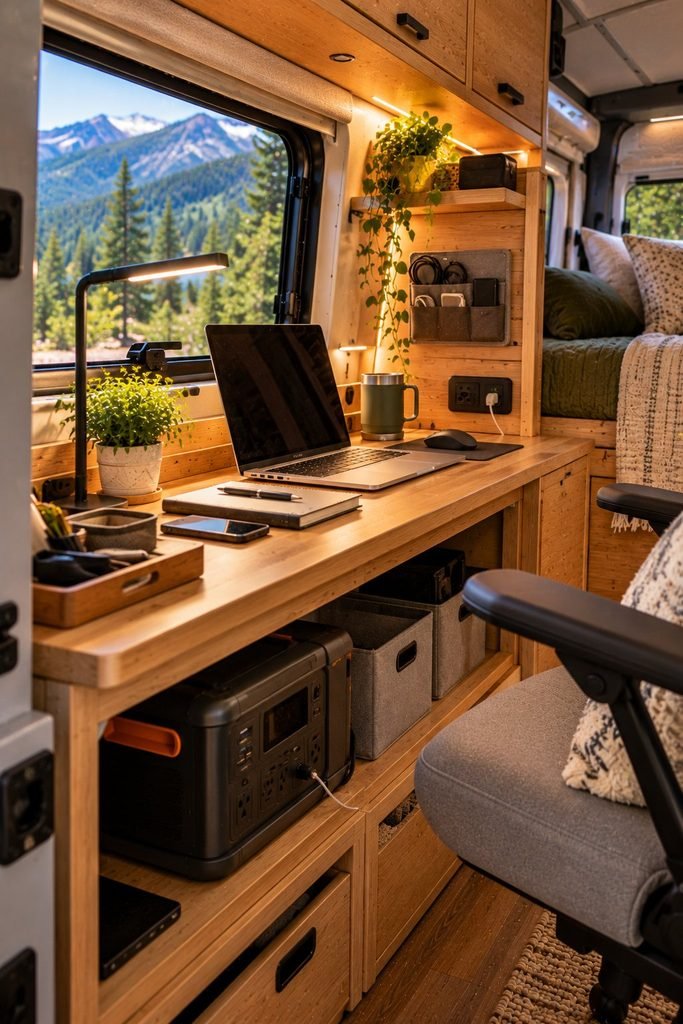
A beautiful camper van office is only useful if you can work comfortably and keep your essential devices running. Lighting and power storage are two details that can easily be overlooked when planning a remote workspace, yet they can make a real difference to your daily routine.
Natural light is helpful during the day, but you will probably need additional lighting when working early in the morning, in the evening, or on cloudy days. A compact LED desk lamp can illuminate your workspace without taking up much room. If you regularly attend video calls, a small adjustable light can also help you appear clearly on camera.
Power is equally important. Your laptop, phone, mobile router, headphones, and other accessories all need charging. Before purchasing equipment, consider how much electricity you use during a typical working day.
How to improve lighting and power in a camper van
Start by choosing lighting that suits your workspace. A rechargeable LED lamp can be useful when you want to avoid running cables across the van, while a properly installed low voltage light may be more suitable for a permanent desk.
Next, review your power requirements. A laptop with a large battery may last through several working hours, but frequent video meetings, demanding software, and multiple connected devices can increase consumption.
Depending on your setup, you might use a suitable power station, an auxiliary battery system, or a properly designed solar and battery installation. Check the rated output, usable capacity, charging options, and compatibility with your devices before choosing a system.
A few practical habits can also help:
- Charge your devices when reliable power is available.
- Enable battery saving settings when you do not need maximum performance.
- Keep charging cables organized and away from walkways.
- Monitor your power usage if you regularly work away from electrical hookups.
- Keep backup charging options available for important workdays.
Do not assume that a portable power station or battery can safely run every appliance. Follow the manufacturer’s instructions, respect power limits, and use properly rated equipment. Have permanent electrical installations designed or checked by a qualified professional.
Best for: Full time van lifers, remote employees, online business owners, and anyone who needs reliable electricity for regular working hours.
How to Choose the Right Camper Van Office Setup
With eleven different ideas to consider, the best choice depends on how you work, how much space your van offers, and how often you need a dedicated workstation.
A remote employee who spends hours in video meetings may need a more stable desk and comfortable seating. Someone who writes blog posts or manages an online business might be perfectly happy with a foldaway desk and a laptop stand.
Before installing anything, consider the following factors.
1. Measure Your Available Space
Start by measuring the area where you want to work. Check the width and depth of the desk, the amount of legroom available, and whether you can still move comfortably through the van.
Remember that your office shares space with other daily activities. A desk that looks attractive in a photograph may be impractical if it blocks a cupboard, interferes with the bed, or makes it difficult to access the kitchen.
Whenever possible, test the layout with temporary furniture or cardboard measurements before purchasing custom fittings.
2. Prioritize Comfort Over Appearance
It is easy to focus on beautiful wooden desks, coordinated accessories, and stylish interiors. However, if you spend several hours a day working, comfort should be one of your main priorities.
Look for a desk at a suitable height, seating that supports your back, and enough room to position your computer properly. An external keyboard and mouse can help you create a more comfortable setup when using a laptop stand.
You should also plan to change positions and take regular breaks. Even a well designed office cannot replace movement throughout the day.
3. Plan Your Internet Connection
A camper van office needs more than a laptop and a comfortable chair. You also need a reliable way to connect to the internet, particularly if your income depends on remote work.
Your options may include mobile data through your phone, a dedicated mobile hotspot, a compatible cellular router, or campsite WiFi. Satellite internet may be worth considering for certain travel patterns, but its cost, power requirements, equipment, and availability need careful evaluation.
Before relying on a particular connection, check coverage in the areas where you intend to stay. A connection that works well in town may be unreliable in a remote campsite.
If you regularly attend meetings or upload large files, test your connection before important deadlines. Downloading essential documents in advance and keeping an alternative connection available can also help you avoid unnecessary disruption.
4. Consider Your Daily Work Schedule
Think about what a normal working day looks like for you.
If you only work for two or three hours, a portable office kit or dining table may be sufficient. If you work a full day, a more permanent desk, suitable seating, and better lighting could make the investment worthwhile.
Consider whether you need privacy for calls, a quiet place for concentration, or room for additional equipment. Your answers will help you decide whether a dedicated office nook is worth the space it occupies.
5. Set a Realistic Budget
You do not need an expensive camper van conversion to create a functional office.
A simple workstation can begin with a stable table, an existing seat, a laptop, and an organized storage pouch. You can gradually add equipment as your needs become clearer.
If you have a larger budget, you might consider custom cabinetry, a foldaway desk, upgraded power storage, or a more comfortable chair. However, it is sensible to invest in the essentials before spending money on decorative upgrades.
Common Camper Van Office Mistakes to Avoid
Even a carefully planned workspace can become frustrating if you overlook a few practical details. These are some common problems worth considering before you settle on your final layout.
Choosing a Desk That Is Too Small
A tiny desk may look space efficient, but it can become uncomfortable if you cannot position your laptop, mouse, and other essentials properly.
Measure your equipment before choosing a desk. Leave enough room for your hands and avoid placing frequently used items where you have to stretch repeatedly to reach them.
Ignoring Ergonomics
Using a laptop on your lap or working from an uncomfortable bench may be manageable for a short period, but it can become tiring during longer sessions.
Pay attention to screen height, seating support, desk height, and legroom. Make adjustments based on your body and take movement breaks throughout the day.
Underestimating Power Consumption
A laptop battery may be enough for occasional work, but a full working day can require additional charging capacity.
Estimate your daily energy needs before purchasing a power station or changing your van’s electrical system. Remember that the rated battery capacity is not necessarily the amount of energy available to every device after conversion losses.
Forgetting About Ventilation and Heat
Camper vans can become hot, particularly when parked in direct sunlight. Electronic equipment also generates heat during use.
Choose a workspace with suitable ventilation and avoid blocking vents on laptops, routers, or other devices. Use appropriate window coverings and follow equipment temperature guidelines.
Making the Office Difficult to Pack Away
A permanent desk may be useful, but it should not make other parts of your van difficult to access.
If your workspace shares an area with the kitchen, dining table, or bed, plan how you will store your equipment at the end of the day. A small organizer or dedicated storage compartment can help keep everything in order.
Depending on Only One Internet Connection
Mobile coverage can change considerably as you travel. If your work depends on video meetings or reliable access to online services, having a backup plan is sensible.
This could mean a second network, a different mobile provider where practical, or access to a suitable coworking space or reliable WiFi location when needed.
Frequently Asked Questions About Camper Van Offices
Can you work remotely from a camper van full time?
Yes. Many types of remote work can be done from a camper van, including writing, website management, programming, graphic design, consulting, and virtual assistance.
The most important considerations are reliable internet, sufficient power, a comfortable workspace, and a travel routine that allows you to meet your work commitments. Some jobs also require a quiet environment, confidential calls, or access to specialist equipment.
What is the best desk for a small camper van?
A foldaway wall mounted desk is an excellent option when floor space is limited. It provides a dedicated working surface that can be folded away when you need more room.
A convertible dining table or pull out counter extension can work equally well, depending on your van’s layout. Measure the available space and consider how the desk will affect movement around the interior before choosing one.
How do you get reliable internet while working on the road?
Start by checking mobile network coverage in your intended destinations. A phone hotspot or dedicated cellular router may be enough for many remote jobs, while people traveling through remote areas may need additional options.
Campsite WiFi and satellite internet can also be useful in suitable circumstances. Test your connection before important meetings and keep a backup plan for areas with weak coverage.
How do you power a laptop in a camper van?
You can use your laptop’s internal battery, a compatible power bank, a portable power station, or a properly installed auxiliary battery system.
The right choice depends on your laptop’s charging requirements, how long you work each day, and whether you can recharge while parked. Check voltage, output ratings, connector compatibility, and the manufacturer’s safety instructions before connecting equipment.
How can you make a camper van office more comfortable?
Start with a suitable desk height and supportive seating. Position your screen comfortably, add adequate lighting, and organize your cables so they do not clutter the workspace.
It also helps to maintain a regular routine that includes movement breaks, stretching, and time away from the screen. If possible, alternate between sitting and standing rather than staying in one position for the entire day.
Is a separate office necessary in a camper van?
No. A dedicated office can be useful for full time remote workers, but it is not essential for everyone.
A dining table, foldaway desk, or portable workstation may be enough if you work part time or mainly use a laptop. The best solution is one that fits your working habits without sacrificing too much living space.
Final Thoughts
Creating a camper van office is about finding the right balance between comfort, practicality, and freedom. You do not need a large interior or an expensive conversion to build a workspace that supports your goals.
A foldaway desk may be the right choice for a compact van, while a dedicated office nook could suit someone who works online for most of the day. If you prefer flexibility, a portable office kit or outdoor workstation can provide useful alternatives when the weather and surroundings allow.
My recommendation is to start with your everyday needs rather than copying a setup simply because it looks attractive. Think about the equipment you use, the hours you work, your internet requirements, and the space you need for sleeping, cooking, and relaxing.
With careful planning, even a small camper van can provide a practical place to manage your work while exploring new destinations. The goal is to create a setup that makes working on the road easier without allowing your office to take over the experience of van life.